
Why the DS-160 Website Keeps Glitching

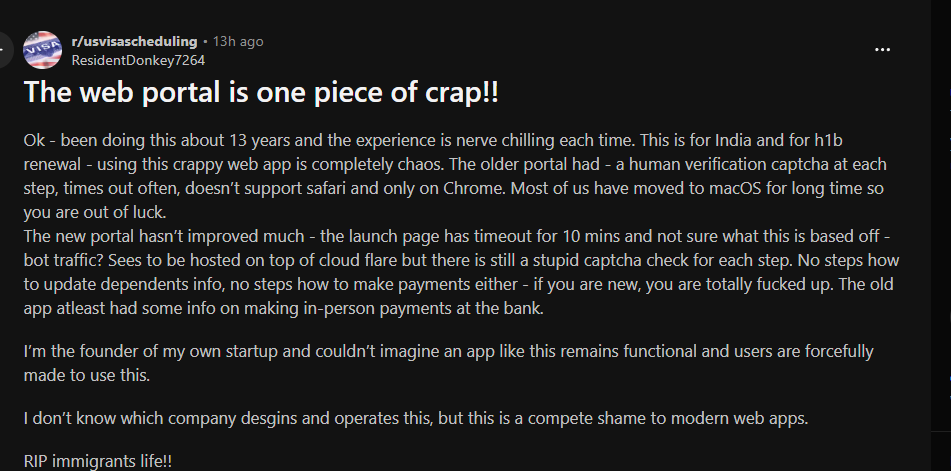
Why does the U.S Visa website (DS-160 website) still glitch in modern browsers? The obvious answer is: “because the website is old.” But the more interesting answer is architectural.
DS-160 Portal Architecture
The DS-160 lives at ceac.state.gov/genniv/ and is a classic ASP.NET WebForms application running on Microsoft's IIS stack. Here's what's under the hood:
Core Stack
- ASP.NET WebForms (.NET Framework, not Core) - the page lifecycle model with server-side controls, codebehind files, and full-page postbacks
- IIS on Windows Server - typical for US federal .gov infrastructure
- ViewState - a massive hidden
__VIEWSTATEfield serialized and round-tripped on every postback, encoding the entire page's server-side control tree - ScriptManager / UpdatePanel - Microsoft's AJAX wrapper that gives the illusion of partial page updates but is really just scoped postbacks under the hood (the
__doPostBack()pattern you've hit with the bookmarklet) - Session-based state - application data is held server-side in ASP.NET Session, not in the URL or client storage
What this means in practice:
- Every field interaction that triggers a dependent question fires a full postback cycle: form serialized → sent to server → server re-renders page → response sent back → UpdatePanel patches the DOM
- The DOM is not a SPA — there's no React, no Vue, no client-side routing. The page is rebuilt server-side on each interaction
- Field reveals are server-gated: the server decides whether a follow-up question appears, based on your answer, on its own timeline
Why the Portal Is Terrible
1. The Postback Prison
Every conditional question - "Are you a citizen of another country?" → "List them" - requires a round-trip to a government server. You can't just watch the DOM; you have to wait for the server's async UpdatePanel response before the next field exists. This is why you have to wait after answering the first question: the field you want to fill literally doesn't exist in the DOM yet.
2. No Persistent Save / Resume
The application is session-tied. If your session expires mid-form (it times out aggressively), you lose progress. There's no "save draft to cloud" - you get a barcode to resume, but resuming a session that's gone is unreliable. People lose hours of work.
3. ViewState Bloat
The __VIEWSTATE hidden field can be hundreds of kilobytes per page. Every form submission sends this blob back to the server. On slow connections (common in countries where DS-160 is heavily used - India, Nigeria, Brazil, Mexico), this is a real latency problem.
4. No Autosave
There's zero autofill, zero autosave, zero draft persistence in any meaningful UX sense. Accidentally hitting Back in the browser can corrupt your session.
5. Browser Compatibility Paranoia
The portal still shows warnings for non-IE browsers. It was architected in an era when IE6-8 was the target. Modern Chrome/Firefox work, but the underlying assumptions of the JS layer are ancient.
6. No API Surface
There is no public API, no JSON, no REST - just server-rendered HTML blobs. This is why nobody can build a legitimate integration without scraping or DOM injection. It's a closed system by design.
7. Accessibility Is an Afterthought
Poor ARIA labeling, unlabeled inputs, no keyboard navigation consistency. Screen reader users are essentially locked out.
8. It's Stateful in the Wrong Direction
State lives on the server, which means the server has to stay alive for your session to stay alive. When the State Department's servers are under load (peak visa season), the whole experience degrades - slow postbacks, timeouts, dropped sessions.
The bottom line: It's a ~2005-era enterprise ASP.NET WebForms app that was never refactored, deployed on government infrastructure that prioritizes security over UX, and it shows. For your bookmarklet work specifically, the postback-gated DOM is the single biggest architectural enemy - everything else is just bad UX on top of a bad foundation.
So, what's the solution?
Fillvisa offers a free, privacy-first DS-160 form tool that runs entirely in your browser - no account, no server, no data collection. Your answers never leave your device.
When you're ready, a bookmarklet does the hard part: one click on the official CEAC portal and it autofills your entire application for you - intelligently handling the State Department's clunky postback system so every field, every conditional question, lands exactly where it should.
Prepare privately. Submit confidently. Zero re-typing.