
You Dont Need Adobe Acrobat Standard to Fill Immigration Forms

USCIS PDFs are broken (kinda)
If you’ve ever tried opening a USCIS form directly in your browser, you already know what happens. You can techincally view the form, but, you cannot fill the form. Modern browsers cannot help you fill the PDF form because USCIS releases PDFs in XFA format. They can only be filled using Adobe (or other 3rd party tools).
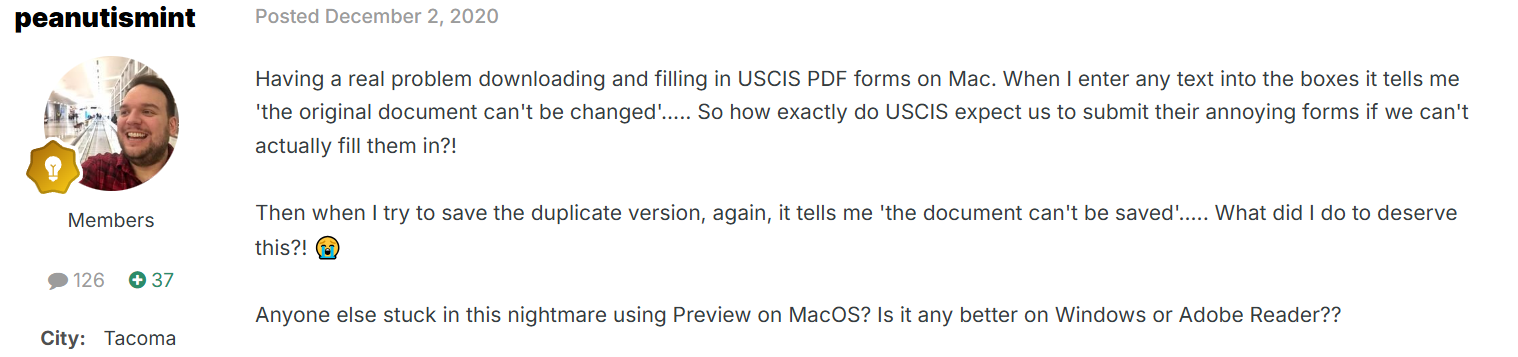
That alone pushes people into installing software they don’t want. And even when the PDF does open, half the fields don’t behave correctly. Text jumps, boxes misalign, and some sections won’t accept input at all. It feels like these forms were designed for a world that no longer exists.
So before you even start filling anything, you’re already fighting the tool.
Adobe’s Monopoly on form filling
A lot of people filling out immigration PDFs end up forced into using Adobe Acrobat - not because it’s the best choice but because it’s the only one that reliably works.
On Reddit someone summed up the dilemma bluntly:
“These forms are fillable PDFs with no edit permissions so we can’t edit and save them without going through hoops.”
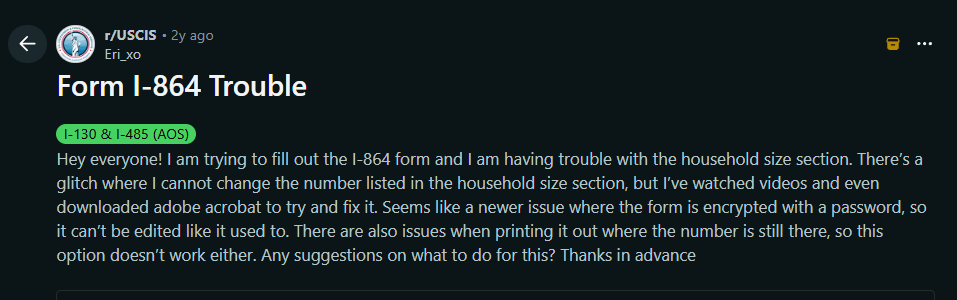
For many, that leaves no good alternative. Without Acrobat you’re stuck - PDF editors fail, browsers don’t cooperate, or forms simply refuse to behave.
So people end up paying for a subscription just to type a few lines on a government form. It feels less like “filling a form” and more like “completing a bureaucratic test.”
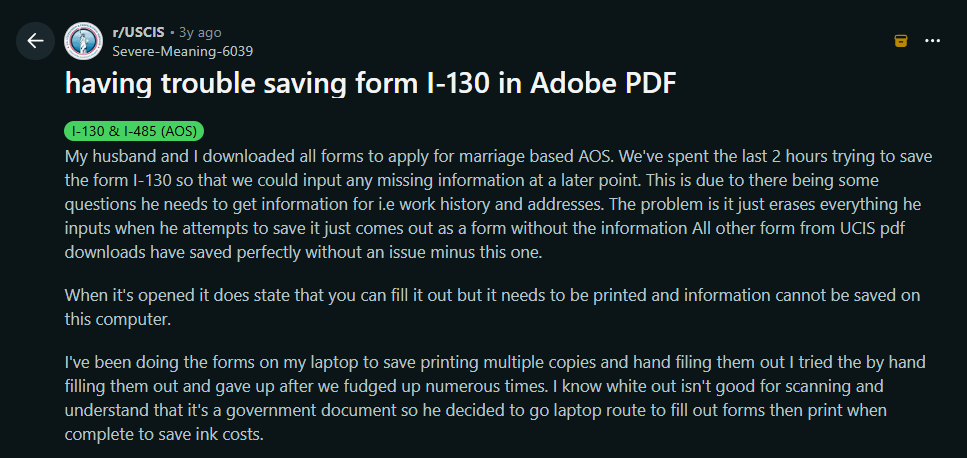
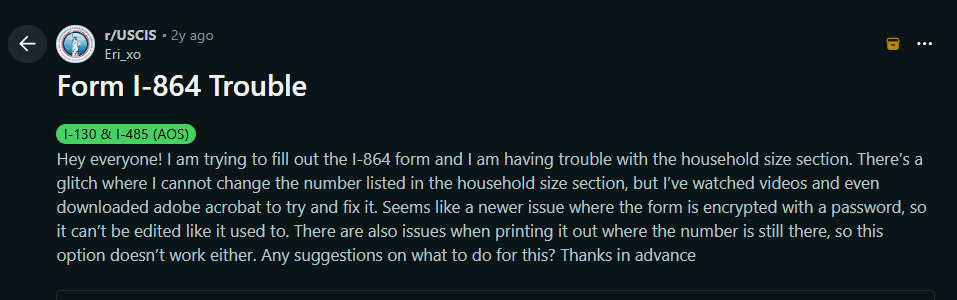
Even with Adobe, users have reported trouble in filling the form.
The Signature problem
USCIS has very specific rules around signatures. Most immigration forms do not allow digital signatures. They want what’s called a “wet signature,” meaning something drawn by hand - even if that handwriting comes from a mouse, touchscreen, or stylus. In other words, you can sign electronically, but it must look like a real signature, not a typed one.
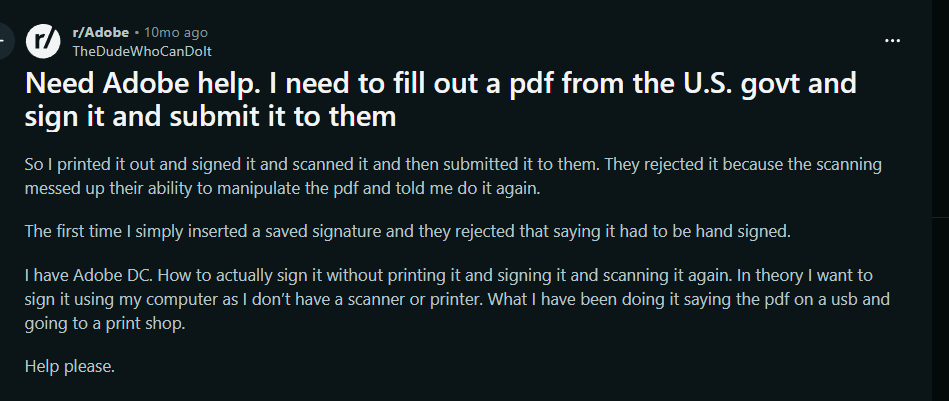
Here’s the problem: doing that inside Adobe is frustrating, and in many cases, it’s a paid feature. The free version gives you limited tools, and the signature workflow is clunky. People end up printing the form just to sign it, then scanning it back in. Others take photos of signatures and try to paste them into the PDF. Some struggle with calibration issues where the signature appears too large, too small, or distorted.
It’s a simple requirement - draw your name - made unnecessarily complicated. What should take ten seconds often becomes a drawn-out workaround that breaks the moment you try to save or export.
The signature shouldn’t be the hardest part of the form. Yet for many people, it is.
How Fillvisa solves this problem
Filling a USCIS form shouldn’t require installing heavy software or paying for basic functionality. Fillvisa fixes the entire experience by rethinking it from the ground up.
Check out our USCIS form library
Smart form
Instead of wrestling with a rigid PDF, Fillvisa gives you a clean, structured web form. It guides you through each question, handles conditional logic, prevents common mistakes, and feels like a modern app - not a 1990s document viewer. You type into normal fields, not glitchy PDF boxes.
USCIS PDF output
Once you’re done, Fillvisa generates the official USCIS PDF with your answers perfectly placed. You never touch the original unstable PDF. The output is fully compliant, ready to print, sign, or upload wherever required.
Signature
Fillvisa makes the signature easy. You can draw a wet signature directly on the screen using a mouse, stylus, or touchscreen. No paid upgrades, no awkward tools, no printing required. It looks natural, matches USCIS requirements, and is embedded exactly where it belongs in the final PDF.
100% free, local only storage
Fillvisa runs entirely in your browser. Nothing you type is uploaded. Nothing is stored on a server. No accounts, no tracking, no “export fee.” Your data stays on your device, and disappears when you close the tab. It’s fast, private, and safe - especially compared to uploading PDFs to random online editors.
You shouldn’t need a paid desktop program to fill out a government form. You shouldn’t have to fight with broken PDFs, confusing signature tools, or subscription upsells just to complete something as important as immigration paperwork. The process is stressful enough already. The tools shouldn’t make it worse.
Fillvisa exists to give people a simpler path. A tool that works anywhere, costs nothing, and stays out of the way. A tool that lets you focus on your answers, not the software. And one that produces the exact USCIS PDF you need - without the headaches that Adobe brings along.